IP Allowlisting
| Caution! | IP Allowlisting will become mandatory for all members starting February 3, 2026! From that point on, you will need to enter IP addresses. |
| Notice | You can enter your IP addresses for your RegAccs in the RAI before February 3, 2026, to activate or try out IP Allowlisting. |
Members who exclusively use the RRI Web Client
Members who use the RRI web client do not need to set up IP allowlisting in the RAI. By logging in to the member page on the RRI web client, you have already authenticated yourself and do not need to set up an additional list of allowed IP numbers in the RAI.
Members who use the RRI and the RRI Web Client
Members who use a self-hosted RRI client and the RRI web client only need to enter IP addresses or networks for the RRI client in the RAI.
Setting up IP Allowlisting in the RAI for use with the RRI
| Caution! | IPv6 is not supported! |
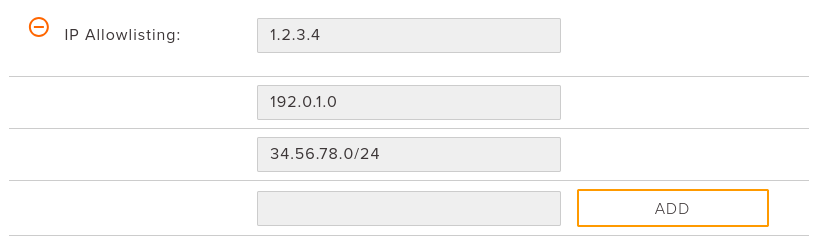
In addition to the user and password for the RRI, the system checks whether the connection is being made via an authorized IP address. The IP address must be stored in the RAI beforehand.
-
A maximum of 20 different entries can be stored.
-
Address masks /32 to /24 are supported.
-
The same networks may be used for multiple RegAccs.
Figure 1: Entry in the RAI
| Hint |
Please keep the following in mind when entering IP addresses in the RAI.
Summary
|